
Picture this. It’s a Tuesday afternoon. Your best-selling product just got featured in a local news segment. Orders start flooding in. And then — nothing. Out of stock. Gone. You’re watching sales evaporate in real time while your supplier is three days away from delivering more units.
That right there? That’s a stockout. And it’s completely preventable.
Here’s the thing most beginner entrepreneurs don’t realize: running out of stock isn’t just a logistics problem — it’s a revenue problem. Studies show that stockouts cost retailers billions every year in lost sales and frustrated customers who simply don’t come back. The fix isn’t working harder or checking your shelves more often. The fix is working smarter with automated inventory replenishment.
This guide breaks down exactly what it is, how it works, and which tools are worth your time in 2026. Let’s go.
What Is Automated Inventory Replenishment, Anyway?
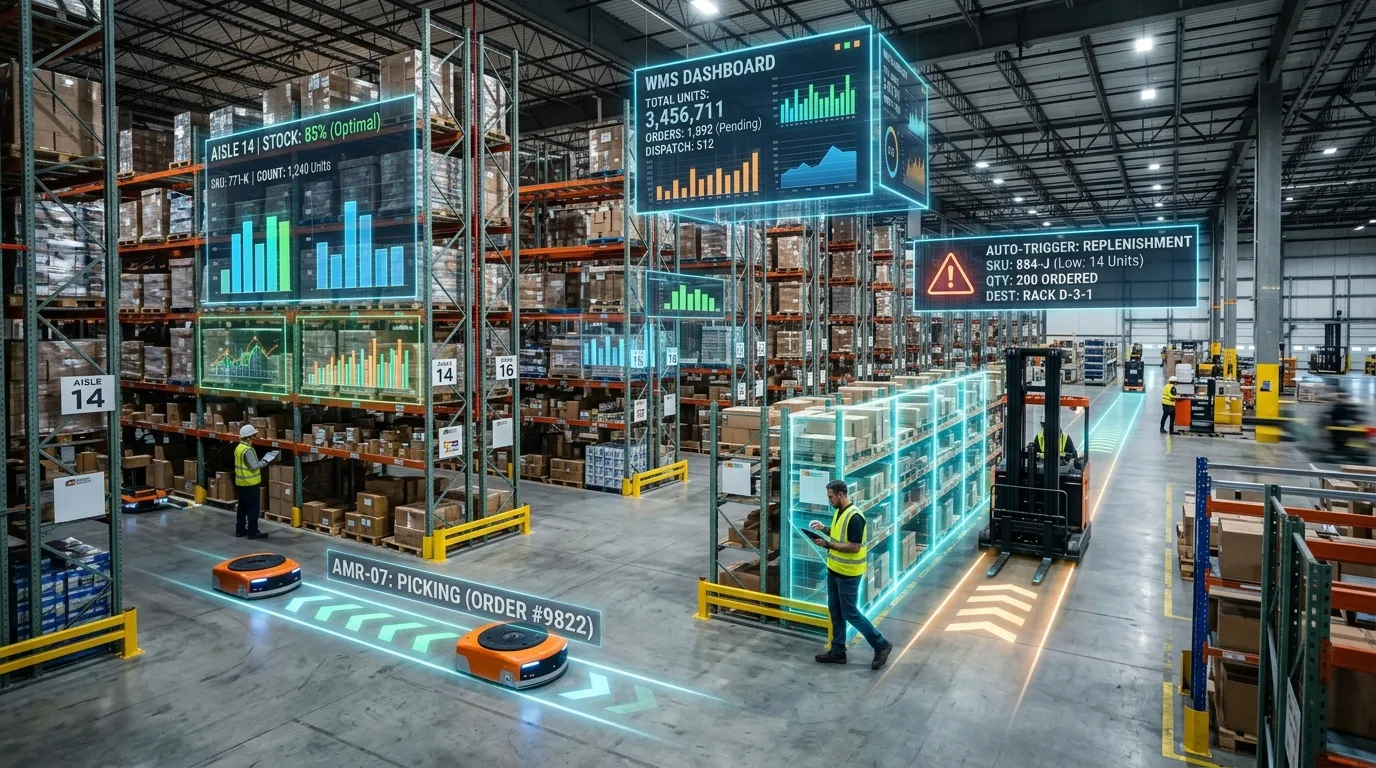
Let’s keep it simple. Automated inventory replenishment is a system that watches your stock levels 24/7 and automatically triggers a reorder — without you lifting a finger.
It uses real-time sales data, supplier lead times, and smart forecasting algorithms to figure out when you’re running low and how much to order before you ever hit zero. Think of it as having a tireless, incredibly detail-oriented employee whose only job is making sure you never run out of anything — except they never sleep, never miscalculate, and never forget.
The difference from traditional inventory management? Night and day. Traditional management is reactive — you notice you’re low, you panic-order, you wait. Automated replenishment is predictive — the system sees the dip coming before it happens and acts accordingly.
How Does an Automated Replenishment System Actually Work?
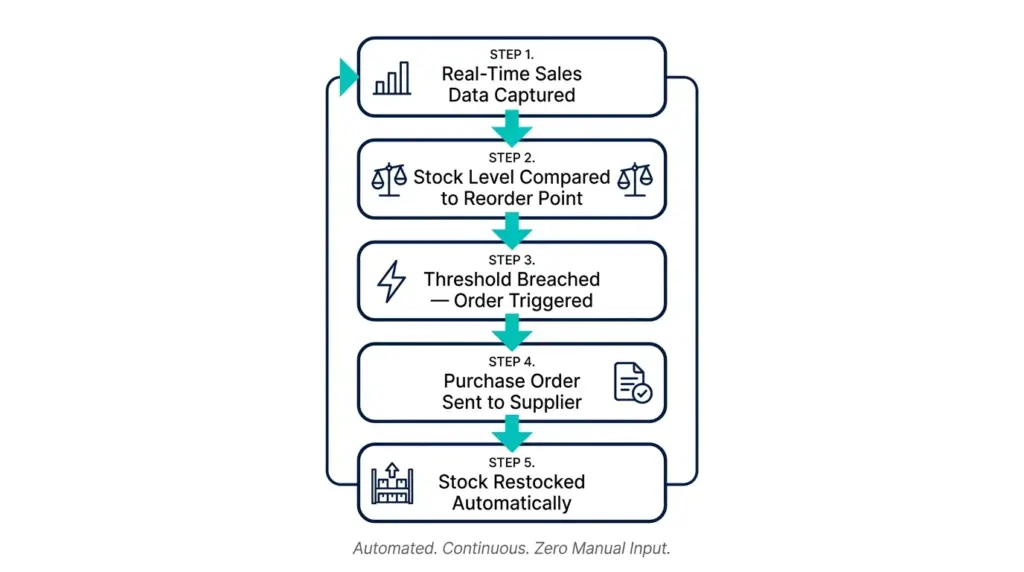
Here’s the behind-the-scenes magic, broken down simply:
- Real-time tracking — The software monitors your inventory continuously via barcode scans, RFID tags, or direct API connections to your sales channels
- Threshold comparison — It constantly compares your current stock against your predefined minimum level (called a reorder point)
- Automatic trigger — The moment stock dips below that threshold, the system generates a purchase order or order recommendation automatically
- Supplier communication — Some advanced systems even send the order directly to your supplier without any human input required
The whole process happens in the background while you’re doing literally anything else. Running a marketing campaign. Having lunch. Sleeping.
The Magic Formula Behind It All: Reorder Point (ROP)
Here’s a concept worth understanding — the reorder point calculation. It sounds technical, but it’s actually straightforward:
Reorder Point = (Average Daily Sales × Lead Time) + Safety Stock
So if you sell 20 units per day, your supplier takes 5 days to deliver, and you want a 50-unit buffer just in case — your reorder point is (20 × 5) + 50 = 150 units. The moment your stock hits 150, the system fires off an order automatically. No spreadsheets. No manual checks. Done.
Why Your Small Business Needs This Right Now
I’ll be blunt: if you’re still managing inventory manually in 2026, you’re leaving money on the table. Here’s what automated replenishment actually delivers:
- Up to 99% reduction in stockouts — that’s not a typo
- Less dead stock — the system enforces maximum stock caps, so you stop over-ordering slow-moving items that just sit there burning your working capital
- Fewer human errors — no more accidentally ordering 1,000 units when you meant 100
- Massive time savings — your purchasing team stops doing repetitive data entry and starts doing actual strategy
- Seasonal intelligence — AI-powered systems dynamically adjust safety stock levels ahead of holiday spikes, promotions, or demand surges
The concept of “Management by Exception” is one of my favorite things about modern automated systems. Essentially, the software handles 90%+ of routine ordering on complete autopilot. It only pings a human when something genuinely unusual happens — a surprise supplier delay, an unexpected sales surge, an anomaly. You’re not micromanaging a machine. You’re supervising it.
Can It Handle Seasonal Demand? (Yes, and It’s Impressive)
This is one of the most common questions I hear from entrepreneurs. “What about Black Friday? What about summer spikes? What about that one random week every March when my sales double for no apparent reason?”
Modern automated replenishment systems — especially those powered by AI demand forecasting — handle seasonality beautifully. They analyze your historical sales patterns, factor in upcoming promotions or calendar events, and dynamically adjust your safety stock levels weeks in advance.
So instead of scrambling to restock before the holidays and guessing how much extra inventory to hold, the system is already quietly building your buffer. No drama. No frantic supplier calls at midnight.
What Is Vendor-Managed Inventory (VMI)?
Here’s a concept that takes automation one step further. Vendor-Managed Inventory (VMI) flips the traditional replenishment model on its head. Instead of you monitoring your stock and ordering from your supplier, the supplier monitors your stock directly — and triggers replenishment themselves.
You give your vendor real-time visibility into your inventory levels via a shared data feed. When stock drops below an agreed threshold, they initiate the replenishment cycle automatically. It’s like having your supplier embedded in your warehouse digitally, watching over things so you don’t have to.
For businesses with long-term supplier relationships, VMI can eliminate almost all procurement friction entirely.
How Hard Is It to Integrate With Your Existing Software?
This is the question that scares most small business owners off automation. “I already have QuickBooks. I already have a Shopify store. Will this break everything?”
Short answer: no. Most modern cloud-based automated replenishment tools come with pre-built API connectors designed to layer seamlessly over your existing ERP, accounting software, or e-commerce platform. You don’t have to rip out your current systems and start from scratch.
Platforms like Fishbowl Inventory are literally built to plug directly into QuickBooks. Cin7 Core syncs in near-real-time across Shopify, Amazon, and physical POS. Zoho Inventory connects to the broader Zoho ecosystem if you’re already using their CRM or accounting tools.
The integration fear is real — but in most cases, it’s much simpler than people expect.
The Top Automated Inventory Replenishment Tools in 2026
Let’s get into the actual tools. I’ve broken these down by business type so you can skip straight to what’s relevant for you.
🏭 For Growing Businesses & Enterprise
1. NetSuite ERP — Best for Scaling Businesses
Best for: Businesses that have outgrown entry-level tools and need everything under one roof
NetSuite is the gold standard for businesses that need unified financial, warehouse, and automated replenishment tracking down to the exact SKU. It’s a full cloud ERP — meaning inventory, accounting, CRM, and supply chain planning all live in one place. Powerful? Absolutely. Affordable for day one? Not quite — but if you’re scaling fast, it’s the platform built for that journey.
2. StockIQ — Best for Distributors & Manufacturers
Best for: Complex catalogs with long supplier lead times
StockIQ is a supply chain planning platform designed specifically for distributors and manufacturers who manage large product catalogs with complicated supplier relationships. Its demand forecasting engine is exceptional at handling the kind of lead-time variability that keeps operations managers up at night.
3. REMIRA — Best for Fully Automated Ordering Workflows
Best for: Businesses wanting maximum automation with minimum human intervention
REMIRA uses ABC/XYZ criteria analysis to classify your inventory by value and demand predictability — then automates ordering decisions accordingly. Some users report up to 100% automated ordering workflows, meaning the system handles virtually every purchase decision without human sign-off. If “Management by Exception” is your goal, REMIRA is built for it.
🛒 For E-Commerce & Multi-Channel Retailers
4. Cin7 Core — Best for Multi-Channel Sellers
Best for: Merchants selling across Shopify, Amazon, and physical retail simultaneously
Formerly known as DEAR Inventory, Cin7 Core offers near-real-time inventory synchronization across your entire sales ecosystem. If you’re selling on three channels and manually reconciling stock levels after every sale, Cin7 is the upgrade your sanity deserves.
5. Inventory Planner — Best for E-Commerce Forecasting
Best for: Online stores that want demand forecasting without the enterprise price tag
Inventory Planner is a focused tool — it does forecasting and replenishment recommendations exceptionally well without trying to be everything. It integrates cleanly with Shopify, WooCommerce, and Amazon, and it’s particularly good at spotting overstock risks before you’ve already paid for too much inventory.
6. Linnworks — Best for High-Volume Multi-Channel Operations
Best for: Established e-commerce brands managing extreme order volumes
Linnworks connects to 70+ global marketplaces and handles rules-based replenishment routing across all of them. If you’re selling everywhere and struggling to keep inventory synced, Linnworks is built for exactly that level of operational complexity.
7. Brightpearl — Best Retail Operating System
Best for: Retail brands wanting back-office automation + inventory in one dashboard
Brightpearl combines inventory management, accounting, and predictive purchasing workflows into a single retail operating system. It’s particularly strong for brands that have hit the ceiling of basic e-commerce tools and need something that can handle both the front-end and back-office simultaneously.
🔧 For Manufacturers & Warehouse-Heavy Operations
8. Katana Cloud Manufacturing — Best for Small Manufacturers
Best for: Makers and manufacturers who need raw material reordering tied to production
Katana is visually beautiful and operationally smart. It ties raw material replenishment directly to your live shop-floor production schedule — so when you’re running low on a component needed for an active production run, the system already knows and has triggered a reorder. For small manufacturers, it’s genuinely transformative.
9. Fishbowl Inventory — Best for QuickBooks Users
Best for: Small businesses deeply embedded in the QuickBooks ecosystem
If QuickBooks is your accounting foundation and you need to add serious inventory and manufacturing capabilities without abandoning it, Fishbowl is your answer. Bills of materials, production-level replenishment, asset tracking — all integrated directly into your existing QuickBooks setup.
10. Odoo — Best Free Starting Point With Automation
Best for: Budget-conscious businesses that want real automation without upfront costs
Odoo’s open-source inventory module includes automated reordering rules on the free tier. You set your minimum and maximum stock levels, and Odoo automatically generates draft purchase orders when thresholds are hit. For a free tool, its automated replenishment capabilities are genuinely impressive.
Quick Comparison: Top Tools at a Glance
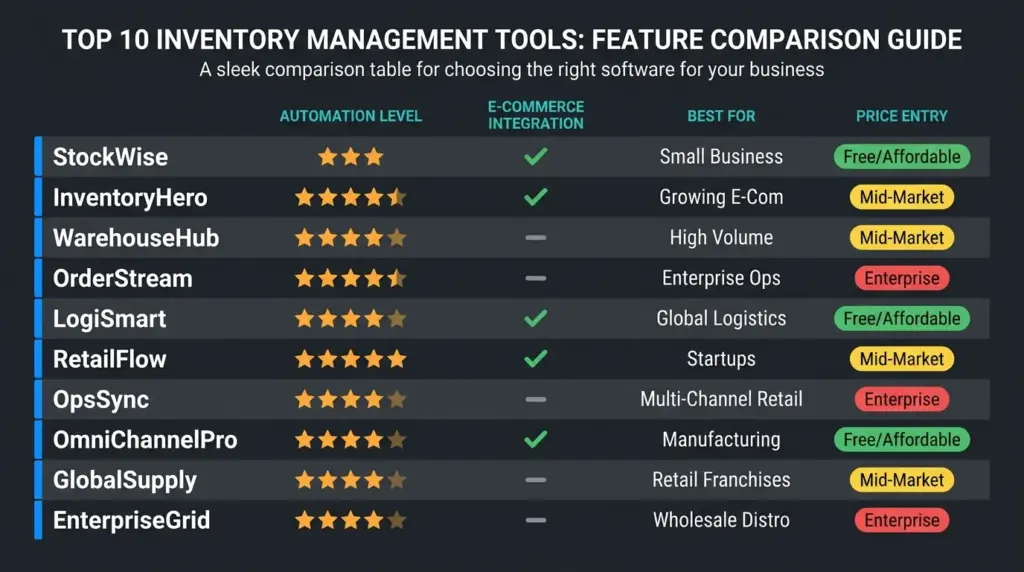
| Tool | Best For | Automation Level | E-Commerce Integration | Price Entry Point |
|---|---|---|---|---|
| NetSuite ERP | Scaling enterprises | ⭐⭐⭐⭐⭐ | ✅ Yes | Enterprise pricing |
| StockIQ | Distributors/manufacturers | ⭐⭐⭐⭐⭐ | Limited | Mid-market |
| REMIRA | Max automation workflows | ⭐⭐⭐⭐⭐ | ✅ Yes | Mid-market |
| Cin7 Core | Multi-channel retail | ⭐⭐⭐⭐ | ✅ Shopify, Amazon | Mid-market |
| Inventory Planner | E-commerce forecasting | ⭐⭐⭐⭐ | ✅ Shopify, WooCommerce | Affordable |
| Linnworks | High-volume sellers | ⭐⭐⭐⭐ | ✅ 70+ marketplaces | Mid-market |
| Katana | Small manufacturers | ⭐⭐⭐⭐ | ✅ Shopify | Affordable |
| Fishbowl | QuickBooks users | ⭐⭐⭐ | Limited | Mid-market |
| Odoo | Budget-conscious teams | ⭐⭐⭐ | Limited (free tier) | Free / paid tiers |
| Zoho Inventory | Startups & beginners | ⭐⭐ | ✅ Basic integrations | Free / affordable |
Frequently Asked Questions
How does automated replenishment prevent dead stock and overstocking? By tracking inventory turnover rates and enforcing a strict maximum stock cap, the system stops you from over-ordering slow-moving items. It’s essentially a hard ceiling on how much of any one product you can accumulate — protecting your working capital from getting tied up in stock that won’t sell.
Can small manufacturers use automated replenishment for raw materials? Absolutely — but you need the right tool. Platforms like Katana and Fishbowl are specifically built for raw material tracking, bills of materials, and production-tied replenishment. Generic inventory tools typically track finished goods only.
What’s the difference between a min/max system and AI-powered replenishment? A min/max system is rule-based — stock hits a minimum, an order fires. Simple and reliable. AI-powered replenishment goes further by analyzing trends, seasonality, and external signals to predict demand and adjust order quantities dynamically. Think of min/max as a smoke alarm and AI replenishment as a smart home system that predicts the fire before it starts.
Is automated replenishment only for big companies? Not at all. Tools like Odoo, Zoho Inventory, and Inventory Planner bring meaningful automation to businesses of all sizes. Even a solo e-commerce seller can set up basic automated reorder rules for free.
What happens if my supplier has a delay after an order is automatically triggered? This is where “Management by Exception” kicks in. The system flags the delay as an exception and alerts a human manager to intervene. Routine orders run on autopilot; unusual situations escalate to people.
The Bottom Line
Here’s what I want you to take away from all of this. Automated inventory replenishment isn’t a luxury reserved for giant corporations with massive logistics teams. It’s a practical, increasingly affordable tool that any entrepreneur — from a solo Shopify seller to a growing manufacturer — can use to stop stockouts, eliminate over-ordering, and reclaim the hours spent on manual purchasing tasks.
The technology has matured. The integrations are easier than ever. And the cost of not automating — in lost sales, wasted inventory, and sheer stress — is far higher than the cost of the software itself.
Start simple. Set up basic reorder points in Odoo or Zoho for free. Graduate to Cin7 or Inventory Planner when you’re ready. And if you’re scaling fast, look seriously at StockIQ or NetSuite.
The goal is the same no matter what tool you choose: stop reacting and start predicting.
Ready to automate your inventory? Pick one tool from this list, set up your first reorder rule this week, and watch how much mental bandwidth you get back. Your business — and your sleep schedule — will both thank you.
Share this with a fellow entrepreneur still doing manual stock counts. They need this more than they know.
Related reading: Free Inventory Software Guide 2026 | How to Calculate Safety Stock | Best Demand Forecasting Tools for Small Business