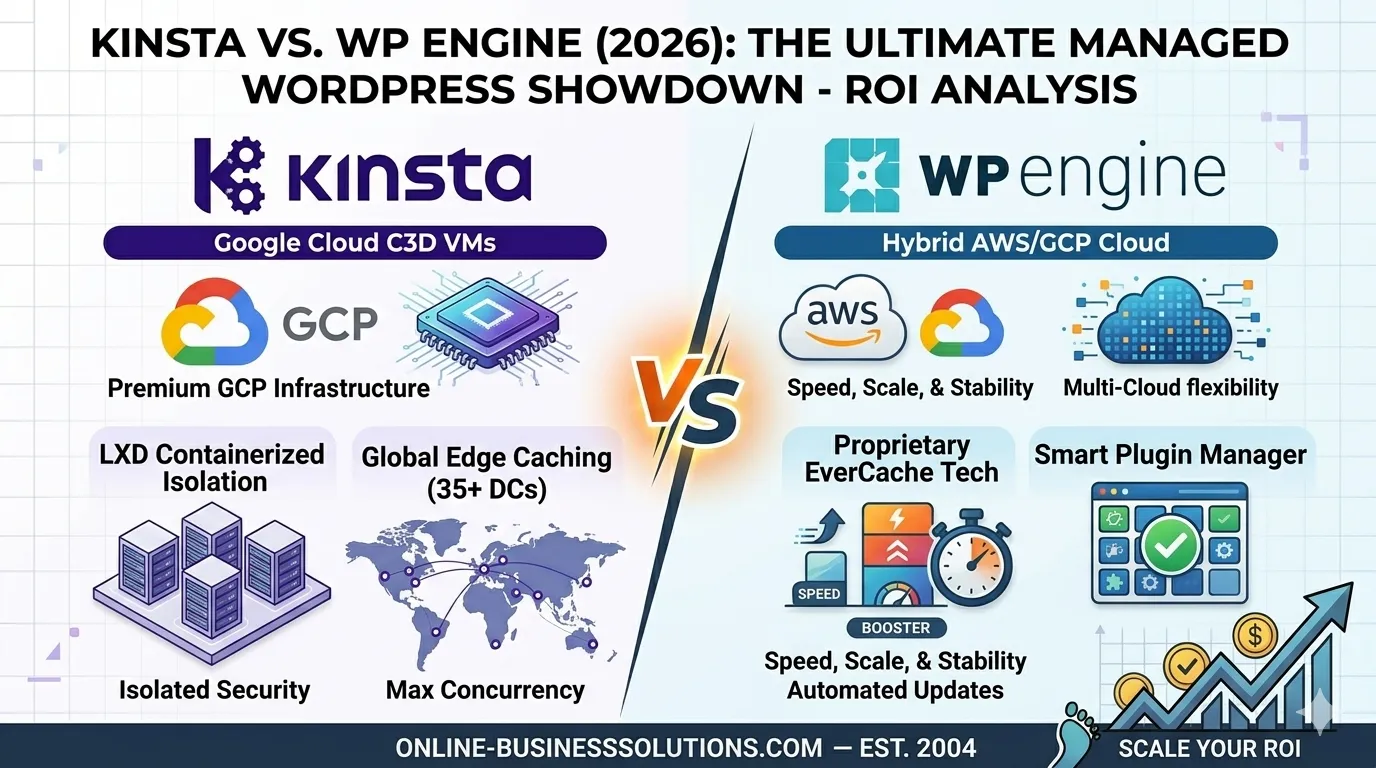


Managed WordPress hosting what really is, how it works, what you get for the price, and whether it’s worth it for your site in 2026.
Here’s a question I get asked constantly: “What even is managed WordPress hosting, and is it worth the price?”
Fair question. The phrase gets thrown around a lot — on hosting websites, in YouTube reviews, in Facebook groups full of people arguing about server stack configurations at 11 p.m. on a Wednesday. And yet, for most beginners and even intermediate site owners, it’s still fuzzy. Is it just regular hosting with a fancier name? Is it a scam? Do you actually need it?
Let’s clear the fog. No jargon avalanche, no hidden affiliate angle — just a straight explanation of what managed WordPress hosting is, what you actually get, and how to figure out if it’s right for where you are right now.
First, Let’s Talk About “Unmanaged” Hosting
To understand managed hosting, you need to understand what it’s replacing.
Standard shared hosting — the kind that costs $3 a month and comes with a cPanel dashboard and a “1-click WordPress install” — is essentially this: you rent a small slice of a crowded server, WordPress gets dropped onto it, and you’re on your own from there.
Updates? Your job. Security? Your problem. Performance optimization? Good luck figuring out what a PHP worker is. Server crashes? You wait for a ticket response. That $3/month plan is priced the way it is because the hosting company is doing almost nothing except keeping the lights on.
That’s unmanaged (or self-managed) hosting. You’re the system administrator, whether you wanted that job or not.
So What Is Managed WordPress Hosting, Exactly?
Managed WordPress hosting is a fully handled hosting environment built specifically for WordPress, where the provider takes over all the technical maintenance and infrastructure management — so you don’t have to.
Think of it like this: unmanaged hosting is renting a raw apartment and doing all your own plumbing, electrical, and pest control. Managed WordPress hosting is renting a serviced apartment where all of that is handled before you even notice there’s a problem.
Here’s what “managed” actually means in practice:
- WordPress core updates are applied automatically and safely
- Plugin and theme updates are monitored and sometimes handled for you
- Daily (or more frequent) backups are created and stored off-site
- Server-level caching is configured specifically for WordPress’s architecture — not a generic caching layer
- Security firewalls and malware scanning run continuously at the server level
- Staging environments let you test changes before pushing them live
- 24/7 WordPress-specialist support — not general tech agents, but engineers who actually know WordPress internals
That last one matters more than people realize. When your site breaks at 3 a.m. before a product launch, you want someone who can diagnose a WordPress database conflict — not someone reading from a troubleshooting flowchart.
How Does the Infrastructure Actually Work?
This is where managed WordPress hosting gets genuinely interesting from a technical standpoint — and where it earns its price tag.
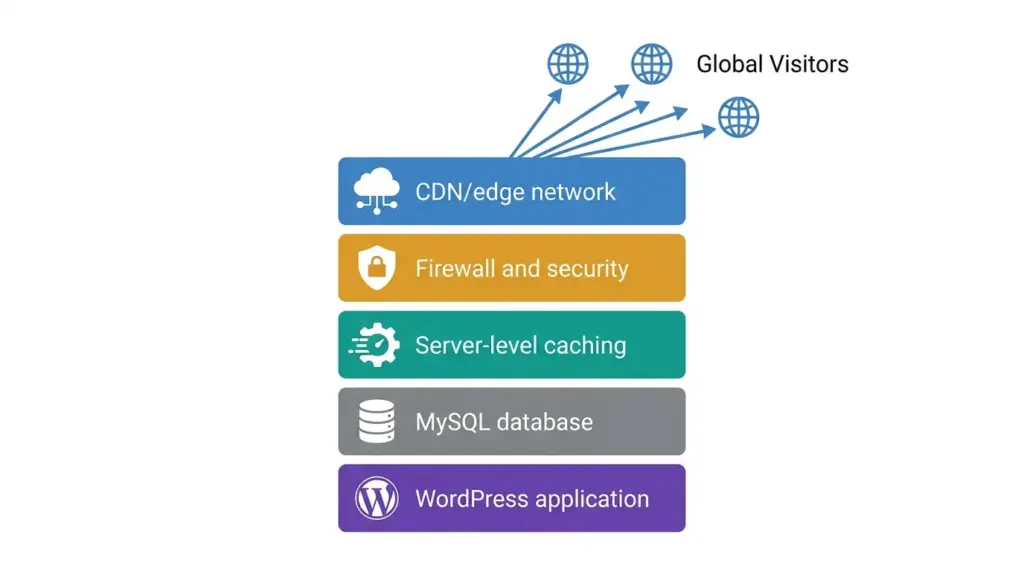
Most managed WordPress providers run on premium cloud infrastructure. We’re talking Google Cloud, AWS, or proprietary networks with dozens of global endpoints. The architecture is built around three performance pillars:
1. Isolated Hosting Environments
On shared hosting, hundreds of websites live on one server. If one site gets a traffic spike or gets hacked, every site on that server feels it. Managed hosts use isolated containers or virtual machines, meaning your site’s resources are completely separated from everyone else’s.
Your neighbor’s WordPress site going viral at midnight? Not your problem.
2. Server-Level Caching
WordPress generates pages dynamically — every visitor request triggers PHP, MySQL queries, and template rendering. That’s a lot of work per page load. Managed hosts implement full-page caching at the server level, storing static versions of your pages so the server skips most of that work entirely.
The performance difference is significant. Premium managed infrastructure regularly reduces Time to First Byte (TTFB) by 50% or more compared to standard shared environments — sometimes much more, depending on the site.
3. Global CDN Integration
Nearly every serious managed WordPress provider bundles a global Content Delivery Network directly into the platform. Your site’s static files — images, CSS, JavaScript — get cached at edge servers distributed around the world. A visitor in London gets files served from a European server; a visitor in Los Angeles gets them from a US West Coast node.
The result: pages load fast regardless of where your audience is geographically. No separate CDN subscription needed, no technical setup — it’s just there.
What About Security? Here’s What You’re Actually Getting
Security is arguably where managed WordPress hosting justifies itself most clearly for small business owners.
Unmanaged environments leave WordPress security almost entirely to the site owner. Most WordPress sites that get hacked aren’t targeted by sophisticated attackers — they get compromised through outdated plugins, weak passwords, or known vulnerabilities that haven’t been patched yet.
Managed hosts attack this problem at multiple layers:
Firewall protection at the server level blocks malicious traffic before it ever reaches your WordPress installation. This is different from a plugin-based firewall, which only kicks in after the request has already hit your server.
Malware scanning runs continuously and automatically. If suspicious code appears in your files, the host flags it — or in many cases, quarantines it before it can do damage.
Hack clean guarantees are now standard among top-tier providers. If your site does get compromised despite their security layer, their team manually scrubs and remediates the malicious code at no additional charge. It’s essentially insurance you hope you never need.
Automatic WordPress core updates close known security vulnerabilities without you having to remember to do it — because let’s be honest, most site owners don’t update their WordPress core the same day a security patch drops.
PHP Workers: The Metric Nobody Explains
Here’s a concept that confuses most beginners but actually matters a lot for site performance: PHP workers.
A PHP worker is essentially a process slot that handles a single, uncached request to your WordPress site. Think of it like a cashier at a grocery store. If you have two cashiers and twenty customers show up at once, eighteen people are waiting. Same logic applies to your server.
Static content — blog posts, landing pages — gets cached and served without touching PHP workers at all. But dynamic requests do: a customer adding something to a WooCommerce cart, a member logging into a protected page, a contact form submission. Each of those occupies a PHP worker until it completes.
For a simple informational blog, 2–3 PHP workers per site is genuinely fine. But a busy WooCommerce store, a membership platform, or a site running heavy page builder operations needs significantly more — 10 to 15+ — to avoid a backlog of waiting requests slowing the site to a crawl during traffic spikes.
When comparing managed WordPress plans, PHP worker allocations are one of the first specs worth checking — not just storage or bandwidth.
Managed Hosting and Email: What Most People Don’t Know
This catches a lot of people off guard when they switch to a premium managed host: many of them don’t include email hosting.
Providers like WP Engine, Kinsta, and Rocket.net deliberately strip email out of their platform. The reason is straightforward — email handling consumes server resources and introduces delivery complexity that has nothing to do with WordPress performance. They’d rather allocate 100% of their infrastructure to making your site fast.
If you need email (and you almost certainly do), you’ll set up business email separately — typically through Google Workspace or Microsoft 365 — and point your domain’s MX records accordingly. It’s a 15-minute setup, and honestly, running business email through a dedicated provider is better practice anyway.
Value-focused managed hosts — SiteGround, Hostinger, and ScalaHosting among them — still bundle native email hosting for users who want everything under one roof.
Staging Environments: A Feature That Sounds Boring Until You Need It
If you’ve ever made a change to a live website and broken something in front of real visitors, you understand the value of a staging environment immediately.
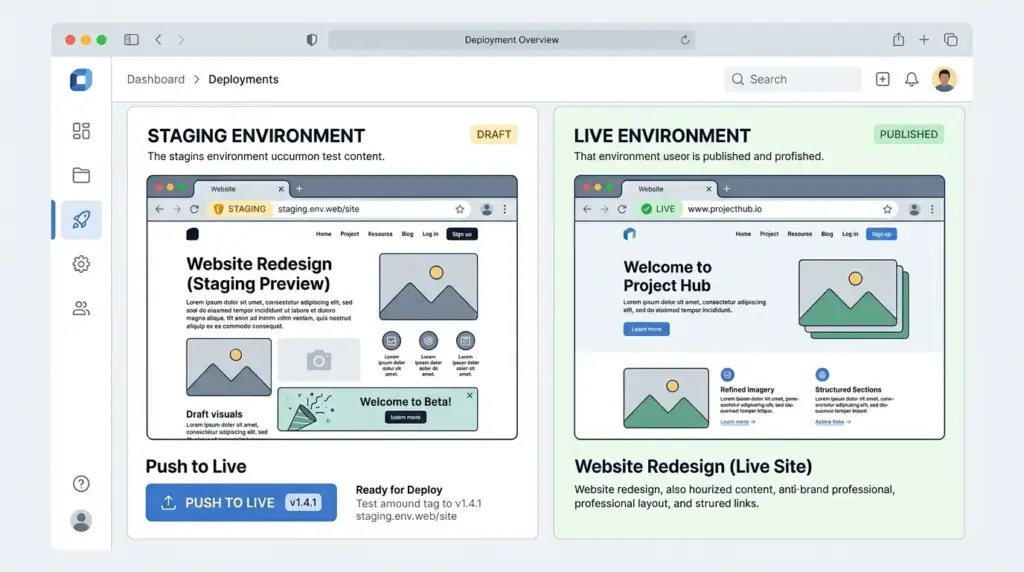
A staging site is an exact clone of your live site, running in a sandboxed environment that no one else can see. You make your changes there — update plugins, redesign a page, install a new theme, run a WooCommerce migration — and only push those changes to your live site once you’ve confirmed everything works.
Every serious managed WordPress host includes this. Many offer one-click staging creation and one-click deployment back to live. Some, like Nexcess, take it further with automated visual regression testing — an AI that takes “before and after” screenshots of your site when plugins are updated, checking for visual breakage before anything goes live.
For a freelancer managing client sites, this feature alone is worth significant peace of mind.
How Much Does Managed WordPress Hosting Cost?
Let’s be direct about the pricing reality, because the range is genuinely wide.
Entry-level managed WordPress plans start around $15–$35/month for a single site (DreamHost’s DreamPress, Hostinger’s Business plan, SiteGround’s GrowBig). These are real managed environments with meaningful features, appropriate for small blogs, local business sites, and early-stage entrepreneurs.
Mid-tier managed hosting runs $35–$100/month and unlocks more PHP workers, higher traffic thresholds, multiple sites, and better support priority. This is the sweet spot for growing businesses and small agencies.
Premium and enterprise plans — Kinsta, WP Engine’s higher tiers, Pressable, Pantheon — range from $100 to $500+/month and are built for high-traffic, high-stakes deployments where performance and reliability are revenue-critical.
One important pricing caveat: many hosts offer steep introductory discounts — sometimes 60–80% off — to acquire new customers. The renewal rate is the true cost. Always check what year two looks like before signing a long-term plan.
When Does Managed WordPress Hosting Make Sense?
Here’s a practical framework to answer the question honestly.
You probably don’t need managed WordPress hosting yet if:
- You’re running a personal blog with under 5,000 monthly visitors
- Your site is purely informational with no e-commerce or membership component
- You have technical knowledge and enjoy managing your own server environment
- Budget is genuinely constrained and the site isn’t generating revenue
You likely do need managed WordPress hosting if:
- Your site generates leads, sales, or revenue — downtime has a real cost
- You’re running WooCommerce with active transactions
- You’re managing sites for clients who expect professional reliability
- You’ve experienced a hack, a crash, or a significant performance issue on shared hosting
- You’d rather spend your time growing your business than troubleshooting server errors
The honest answer for most beginner entrepreneurs landing here: if your website matters to your business, managed hosting is not a luxury — it’s infrastructure.
The One Thing Worth Remembering
Managed WordPress hosting isn’t magic. A poorly designed site with bloated plugins and unoptimized images will still be slow, even on premium infrastructure. The hosting layer is foundational, not a fix-all.
What managed hosting does is remove an entire category of technical problems from your plate — security vulnerabilities, server configuration, update management, backup failures — so you can focus on the part of your business that actually needs your attention.
That’s the trade-off. You pay more per month. You get your time and peace of mind back.
For most people running a real business on WordPress in 2026, that trade is worth it.
Related reading: Best Managed WordPress Hosting in 2026: The Only Guide You Actually Need
Last updated: May 28 2026