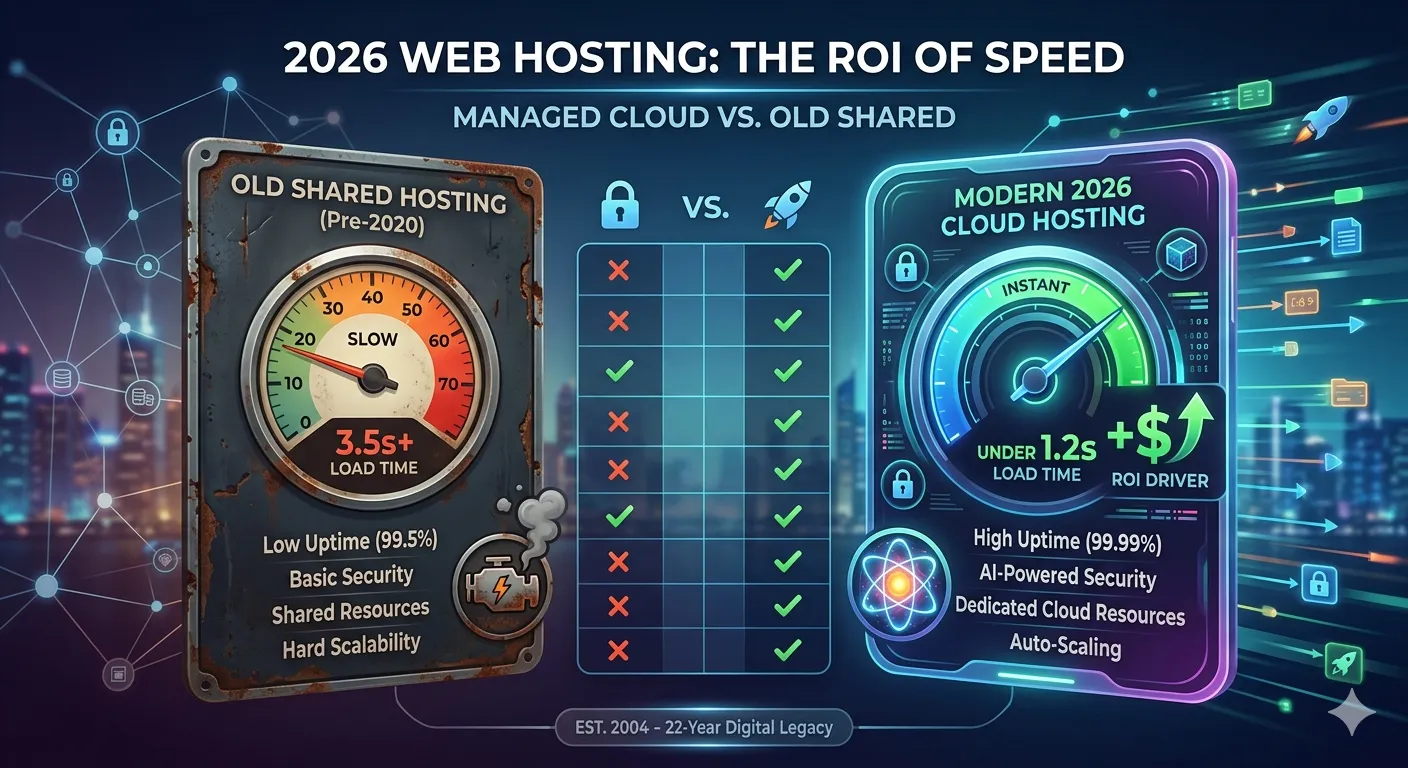

Kinsta vs WP Engine compared head-to-head in 2026 — pricing, performance, support, and who each host is actually built for.
Picture this: you’ve outgrown your budget hosting. Your site is growing, your load times are embarrassing, and someone in a Facebook group just told you to “just get Kinsta or WP Engine.” Thanks. Super helpful. Which one, though?
Both are premium managed WordPress hosts. are expensive by beginner standards. and have passionate fan bases that will argue about them at length in comment sections. And if you try to compare them using their own marketing pages, you’ll walk away more confused than when you started — because of course each one makes itself sound like the obvious winner.
So let me do the honest work here. I’ve broken down Kinsta vs WP Engine across every dimension that actually matters — performance, pricing, support, developer tools, scalability, and the stuff that doesn’t make the brochure. By the end of this, you’ll know exactly which one fits your situation.
Let’s get into it.
The Core Difference — And It’s a Big One
Before anything else, here’s the fundamental architectural split between these two platforms:
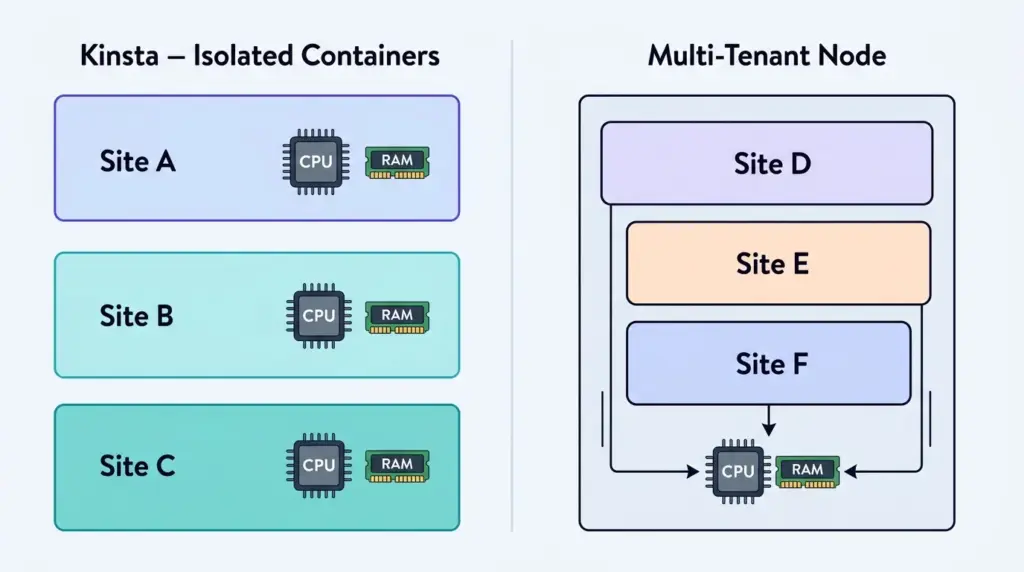
Kinsta runs every single site in its own isolated container on Google Cloud’s premium-tier network, using compute-optimized C3D and C2 virtual machines. Your site’s CPU and RAM are yours — not shared with anyone else on the server. It’s a pure infrastructure play.
WP Engine uses a hybrid architecture built across both Google Cloud and AWS, with a much heavier emphasis on its surrounding ecosystem — agency workflow tools, developer frameworks, proprietary themes, and integrations. It’s less “raw infrastructure” and more “complete WordPress platform.”
Think of it this way: Kinsta is a high-performance sports car with a stripped interior. WP Engine is a fully-loaded luxury sedan. Both will outperform your old Toyota. But they’re built for slightly different drivers.
1. Performance: Who’s Actually Faster?
Performance is where this debate usually starts, and honestly, it’s close enough that the framing matters more than the headline number.
Kinsta’s edge: Because every site runs in a fully isolated container with dedicated CPU and RAM, Kinsta handles uncached, dynamic requests exceptionally well. WooCommerce checkouts, membership logins, LMS course loads — anything that can’t be cached and requires real database processing. Kinsta doesn’t share those resources with neighboring sites, so the performance stays consistent even under load.
WP Engine’s edge: WP Engine’s proprietary EverCache system is a seriously impressive full-page caching layer. For content-heavy sites — blogs, news publications, marketing pages — where the vast majority of requests are cacheable, EverCache means visitors rarely hit the origin server at all. Speed is exceptional for this use case.
CDN: Both providers include Cloudflare Enterprise on all plans out of the box. That means edge caching at hundreds of global locations, HTTP/3, advanced DDoS protection, and enterprise-grade firewall rules — without paying Cloudflare separately. This alone represents hundreds of dollars of value per month at list price.
Bottom line on performance: For dynamic, database-heavy sites (WooCommerce, memberships, LMS), Kinsta pulls slightly ahead. For largely static, cacheable content sites, WP Engine’s EverCache is equally impressive and often indistinguishable in real-world testing.
2. Pricing: What You Actually Pay in 2026
Let’s be direct: neither of these is cheap. And that’s fine — you’re paying for genuine infrastructure quality. But the pricing structures are different enough that it affects how each host fits your growth trajectory.
Kinsta Pricing (2026)
| Plan | Monthly Price | WordPress Sites | Monthly Visits | Storage |
|---|---|---|---|---|
| Starter | $35/mo | 1 site | 25,000 | 10 GB |
| Business 1 | $115/mo | 5 sites | 100,000 | 30 GB |
| Business 2 | $225/mo | 10 sites | 250,000 | 60 GB |
| Enterprise 1 | $675/mo | 60 sites | 1,000,000 | 250 GB |
WP Engine Pricing (2026)
| Plan | Monthly Price | WordPress Sites | Monthly Visits | Storage |
|---|---|---|---|---|
| Startup | $30/mo | 1 site | 25,000 | 10 GB |
| Professional | $59/mo | 3 sites | 75,000 | 15 GB |
| Growth | $115/mo | 10 sites | 200,000 | 20 GB |
| Scale | $290/mo | 30 sites | 400,000 | 50 GB |
Key pricing observations:
- WP Engine’s entry Startup plan at $30/month is slightly cheaper than Kinsta’s $35 Starter for a single site
- WP Engine’s Professional at $59/month for 3 sites is significantly better value than Kinsta’s $115 for 5 sites if you’re managing multiple smaller sites
- Kinsta’s mid-tier and enterprise tiers offer more generous visit and storage thresholds at comparable prices
- Both platforms charge overage fees when you exceed plan limits — always check what those look like before committing
One thing worth knowing: WP Engine has historically been stricter about sudden traffic overage charges on lower plans. Kinsta’s approach is more gradual — gently prompting upgrades rather than hitting surprise bills. Not a dealbreaker, but worth factoring in.
3. Support: This Is Where They Diverge Most Clearly
Support is the biggest practical difference between these two platforms — and it’s not subtle.
WP Engine offers 24/7 live chat, and crucially, 24/7 phone support on higher-tier plans. If you’re running a business where a site outage needs a human voice on the line in the next 10 minutes, that phone option matters.
Kinsta does not offer phone support. Period. Their support runs entirely through a 24/7 live chat staffed by WordPress engineers. The quality is genuinely excellent — response times are fast and the agents can handle real technical depth — but if you or your clients ever need to pick up a phone, Kinsta simply isn’t that host.
For most individual site owners and small agencies, Kinsta’s chat support is more than sufficient. But for enterprise clients, large agencies with client SLAs, or anyone who needs “call this number if everything breaks” reassurance — WP Engine has a meaningful structural advantage here.
4. Developer Tools: Two Very Different Philosophies
Both platforms invest heavily in developer tools, but in completely different directions.
Kinsta’s Developer Stack
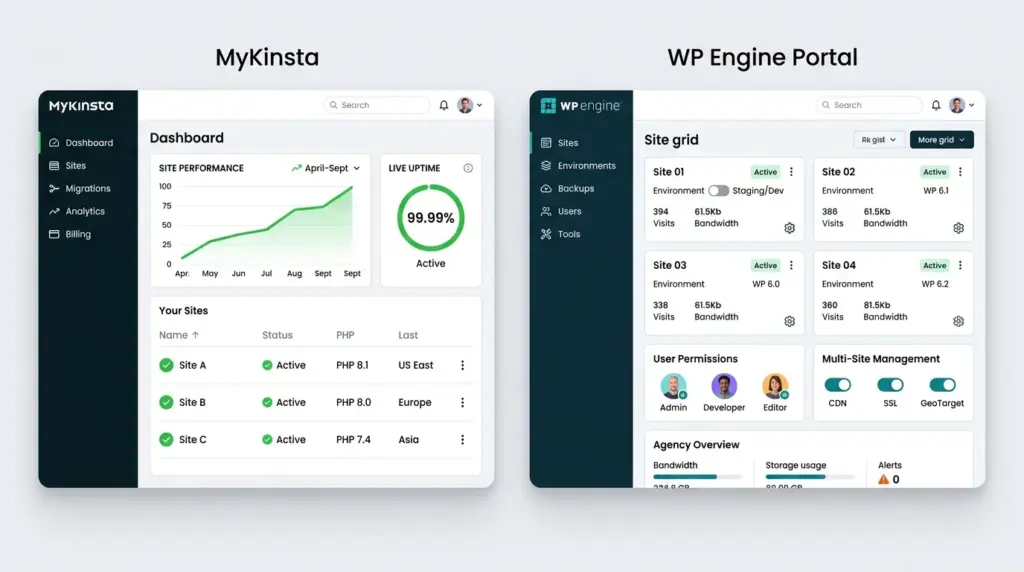
- MyKinsta dashboard — consistently ranked as one of the cleanest, most intuitive dashboards in the industry. SSH access, WP-CLI, Git integration, and environment variables are all accessible without hunting through nested menus
- DevKinsta — Kinsta’s own local development tool, running a lightweight Docker-based environment on your desktop. You build locally, push to Kinsta staging, test, and deploy to live. Clean and purpose-built
- Kinsta APM — a built-in application performance monitoring tool that pinpoints slow database queries, problematic plugins, and code bottlenecks directly inside the dashboard. No third-party tools needed
- Application Hosting — Kinsta now hosts non-WordPress apps too: Node.js, Python, Go, and more. For dev teams building hybrid setups, this is genuinely useful
WP Engine’s Developer Stack
- WP Engine User Portal — built around bulk site management, user permission hierarchies, and agency-scale workflows. Less visually polished than MyKinsta but more powerful for managing large site portfolios
- Local (by Flywheel) — the gold standard for local WordPress development. One-click push/pull to staging, deep diagnostic tools, and seamless WP Engine integration. Widely used even by non-WP Engine customers
- Smart Plugin Manager — WP Engine’s automated plugin update tool uses visual regression AI to screenshot your site before and after updates, checking for visual breakage before pushing changes live
- Genesis Framework + StudioPress Themes — free access to the entire premium Genesis Framework and StudioPress theme library for all accounts. Significant value for developers building client sites at scale
- Atlas (Headless WordPress) — WP Engine’s headless WordPress framework for decoupled architectures. For teams building React or Next.js frontends powered by WordPress as a CMS backend, Atlas is a serious product
5. WooCommerce & Dynamic Sites: Which Handles It Better?
If you’re running an e-commerce store, this section is probably the most important one for you.
Kinsta generally holds the advantage for WooCommerce and other resource-intensive dynamic platforms. The reasoning is architectural: because each site gets isolated container resources with dedicated CPU and RAM, those heavy uncached database requests — a customer adding to cart, processing a checkout, loading a personalized account page — don’t compete with resources from other sites on the node.
WP Engine handles WooCommerce well, and EverCache helps where pages can be cached. But the multi-tenant architecture means dynamic, uncached requests share underlying resources in ways that can introduce latency at scale.
For a growing WooCommerce store with serious transaction volume, Kinsta’s isolated containers translate to more consistent performance during peak periods — Black Friday traffic spikes, product launches, and flash sales included.
That said — WP Engine’s Smart Plugin Manager is a genuine WooCommerce advantage. Automatically testing plugin updates for visual breakage before they go live on a live store is the kind of feature that prevents catastrophic checkout-breaking incidents from ever reaching customers.
6. Backups: More Different Than You’d Expect
Both platforms include automated daily backups, but the retention and flexibility details differ.
| Feature | Kinsta | WP Engine |
|---|---|---|
| Daily Backup Retention | 14 days (starter), more on higher tiers | 30 days across all plans |
| On-Demand Backups | ✅ Yes | ✅ Yes |
| Hourly Backups | Add-on (low cost) | Add-on |
| External Backup Destinations | Amazon S3 / Google Cloud Storage | ✅ Included on some plans |
| One-Click Restore | ✅ Yes | ✅ Yes |
WP Engine’s 30-day default retention is more generous at entry level than Kinsta’s 14-day starter tier. For business sites where monthly audit trails matter, that difference is worth noting. Kinsta closes the gap with affordable add-ons for hourly or 6-hour backup intervals — useful for high-change e-commerce environments.
7. Migrations: Both Make It Painless
Neither platform makes you suffer through a manual migration. Both offer:
- Free unlimited automated migrations via their migration tools
- Expert-assisted migrations handled by their own engineering teams
- Zero-downtime migration processes that keep your current site live until the cut-over is confirmed
The main practical difference: WP Engine’s Automated Migration plugin is widely regarded as one of the simplest tools in the industry and handles complex multisite networks well. Kinsta’s migration team gets consistently strong reviews for expert-assisted transfers, particularly for larger, more complex sites.
Either way — switching to either of these hosts from a previous provider is significantly less painful than it used to be.
8. Who Each Host Is Actually Built For
Here’s the honest summary, stripped of marketing language.
Choose Kinsta if:
- You’re running a WooCommerce store, LMS, or membership site with heavy dynamic traffic
- Clean, intuitive dashboard management is important to you
- You’re building or managing multiple high-performance sites and want APM baked in
- You want flexibility beyond WordPress (Node.js, Python, Go apps on the same account)
- Phone support isn’t a requirement for you or your clients
Choose WP Engine if:
- You’re an agency managing many client sites and need advanced permission controls and bulk management
- Your clients or team need phone support as a standard expectation
- You want the Genesis Framework and StudioPress themes bundled at no extra cost
- You’re building headless WordPress with a decoupled frontend framework
- You prioritize the Local development workflow, which integrates most deeply with WP Engine
Quick Side-by-Side Summary
| Category | Kinsta | WP Engine |
|---|---|---|
| Infrastructure | Google Cloud (C3D/C2, isolated containers) | Google Cloud + AWS hybrid |
| CDN | Cloudflare Enterprise ✅ | Cloudflare Enterprise ✅ |
| Phone Support | ❌ No | ✅ On higher plans |
| Live Chat Support | 24/7 WordPress engineers | 24/7 |
| Local Dev Tool | DevKinsta | Local by Flywheel |
| Dashboard | MyKinsta (very clean) | WP Engine Portal (agency-optimized) |
| Free Themes | ❌ None bundled | ✅ Genesis + StudioPress |
| APM Monitoring | ✅ Built-in (Kinsta APM) | ✅ Smart Plugin Manager |
| WooCommerce Edge | ✅ Isolated containers | Solid but multi-tenant |
| Non-WP App Hosting | ✅ Node.js, Python, Go | ❌ WordPress only |
| Headless WordPress | Limited | ✅ Atlas framework |
| Entry Price | $35/month | $30/month |
| Backup Retention | 14 days (starter) | 30 days (all plans) |
The Bottom Line
Here’s my honest take after breaking all of this down: Kinsta and WP Engine are both exceptional hosts, and the “better” one is entirely determined by what you’re building.
If raw performance for dynamic, database-intensive sites is your priority — and you’re comfortable with chat-only support — Kinsta is a genuinely hard platform to beat. The isolated containers, the clean MyKinsta experience, and the APM tooling give you visibility and control that most hosts simply don’t offer.
If you’re running or building an agency, managing multiple client sites, and need the full ecosystem — phone support, Genesis themes, Local development, and Atlas for headless builds — WP Engine’s platform depth is where it earns its price.
The one thing I’d push back on is the common advice of “just pick either one, they’re basically the same.” They’re not. At the prices both charge, you want to land on the one that actually fits your workflow — not the one that has a better homepage.
Related reading: Managed WordPress Hosting — What Is And Do You Actually Need It?
Last updated: May 29 2026